Change the size of the command display
You can change the size of command on the IRONCAD ribbon.
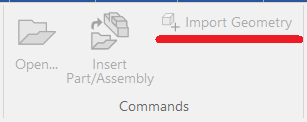
There are two command display sizes: large and small
There are two command display sizes: large and small

Frequently used commands can be displayed with large icons, while less frequently used commands can be displayed with small icons. This allows you to customize the ribbon for easier access to the commands you use most often.
Target
・3D Scene
・2D Drawing
Steps
[1] Right-click an enpty area of the ribbon and select [Customize Ribbon Bar].
[2] Right-click the command you want to resize and select [Change to small icon].
For commands currently displayed with small icons, select [Change to large icon].
[3] The command display size will be changed.
IC-162