Displaying File Attribute in the VaultFiles
This section explains how to display file attribute information in the columns of the file list.
You can add file attributes that are not displayed in the file list by default.
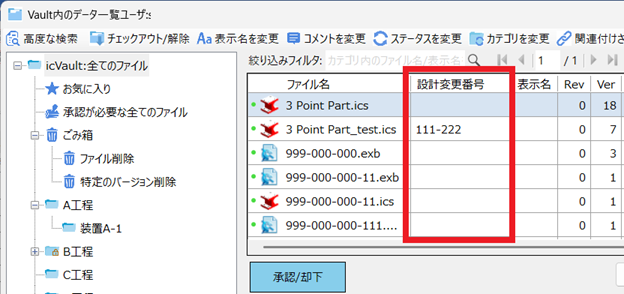
You can add file attributes that are not displayed in the file list by default.
File Attribute allows you to add information to files registered in icVault.
This information can be shared with other users and viewed on the file list and check-in screens.
This information can be shared with other users and viewed on the file list and check-in screens.
Procedure
[1] Open VaultFiles.
[2] Select File, then click Edit File Attribute.
[3] Enter Attribute Name and Value, click Add.
After setting, click Apply and Close.
After setting, click Apply and Close.
[4] Click Display Settings in the VaultFiles.
[5] Move File List tab.
① Click Add Column (File Attribute)
② Select list and click Add
② Select list and click Add
[6] You can confirm that it added in the File list items.
Click OK.
[7] You can confirm that it is displayed in the VaultFiles.

File Attribute in icVault is different from custom properties in 3D data.
Please refer to the video below.
Vault-004