Applying Backgrounds and Lighting in KeyShot
This section explains how to apply preset backgrounds and lighting environments in KeyShot.
Procedure
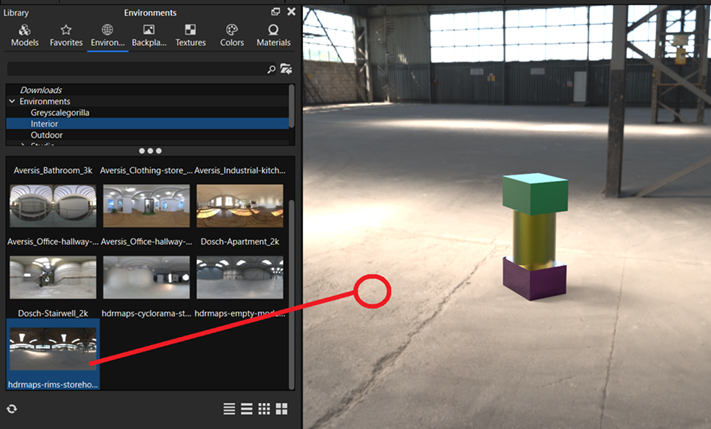
[1] Open the [Environment] tab in the Library window.
- Interior : Preset indoor environments and lighting.
- Outdoor : Preset outdoor environments and lighting.
- Studio : Various studio lighting setups.
- Sun & Sky : Natural lighting environments for different times of day, such as morning, noon, and evening.
[2] Select the desired environment and drag and drop it onto the background in the center of the screen.